
Read your insights
Updated 21 October 2026
Insights sums up how your business is doing, worked out from your requests, bookings, quotes and Money. Owners and managers can open it.
Availability Every plan. The last 12 months and export need Growth. Owners and managers only.
Steps
- Open Insights from the menu. On a phone it is under More.
- Pick the period at the top: Last 30 days, Last 90 days or Last 12 months. The page opens on the last 90 days.
What it can and cannot do
- It reads your requests, bookings, quotes and Money. It changes nothing.
- The periods are fixed: the last 30 days, 90 days or 12 months. You cannot pick your own dates.
- On Starter you can see the last 30 days. Picking a longer period shows 30 days with a note. Money by month shows this month. Workspaces made before 21 October 2026 keep 90 days, and money for this month and the two before, until 21 November 2026.
- Repeat customers counts confirmed and completed bookings in the period you picked.
- Owners and managers can open it. Staff cannot.
What you should see
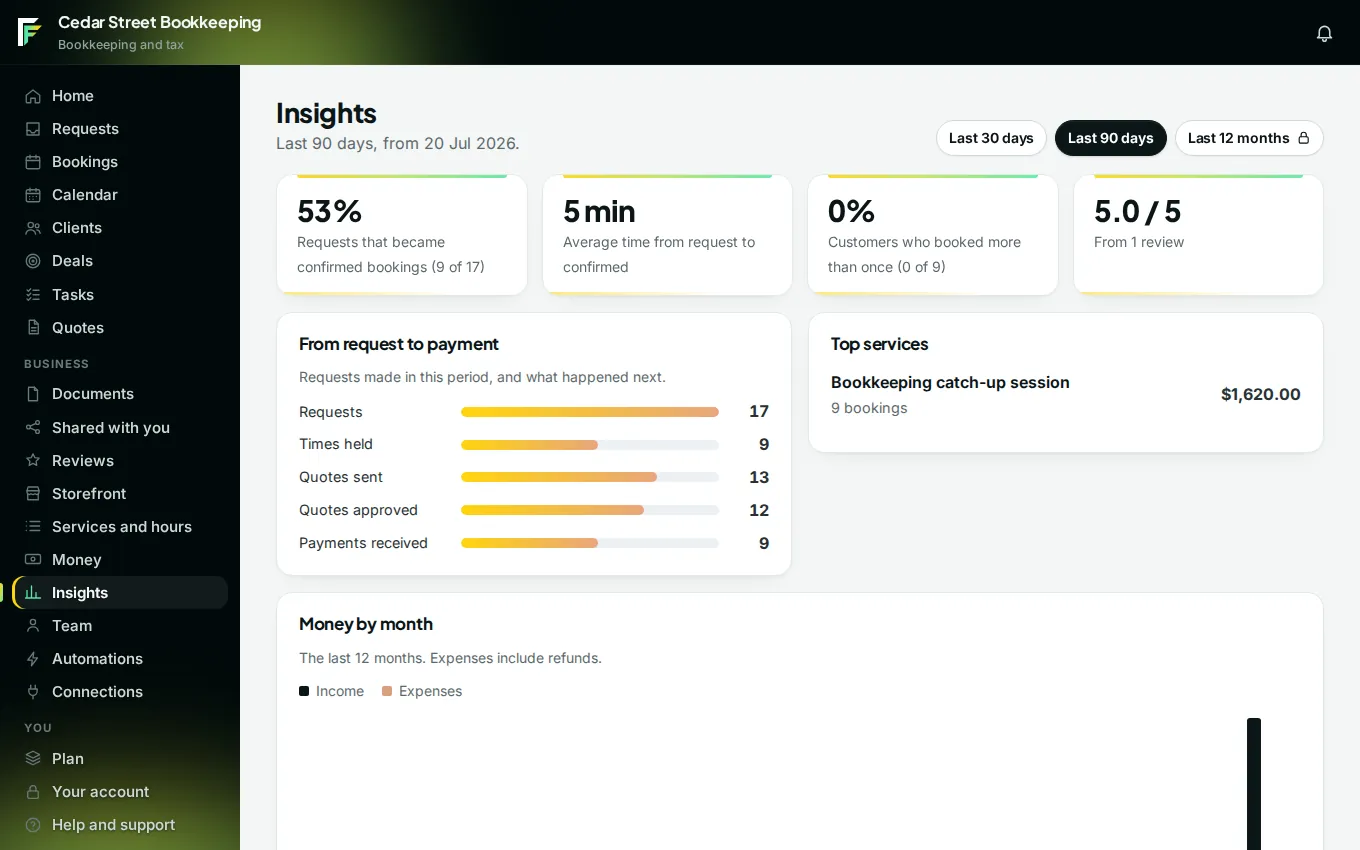
- Five figures at the top: requests that became confirmed bookings, the average time from request to confirmed, customers who booked more than once, visits the customer missed (no-shows out of completed visits and no-shows), and your review score.
- From request to payment: requests made in the period, times held, quotes sent, quotes approved and payments received. A booking later marked a no-show still counts as held and as a confirmed booking, and in your top services.
- Top services: your five most booked services in the period, with the income paid for each.
- Money by month: income and expenses for the last 12 months on Growth, or this month on Starter, whatever period you picked. Expenses include refunds. It ends with this month so far.
- Busiest times: confirmed and completed bookings by day of the week and starting hour, in your time zone.
Only confirmed and completed bookings count as booked work. Requests that are still open, declined or cancelled count as requests only.
If it does not work
- "No requests yet" or "Nothing confirmed yet". There is nothing in that period yet. Try a longer period.
- Choosing a longer period shows 30 days. On Starter, Insights shows the last 30 days, so Fountain shows those and a note. Twelve months is part of Growth. See Subscribe to Growth.
- Money by month is empty. Paid invoices and the expenses you add on Money appear here.
- You cannot see Insights in the menu. Staff cannot open it. Ask the owner.
Still stuck? Contact Fortis support and a person replies by email.