
Emails from Fountain are not arriving
Updated 18 October 2026
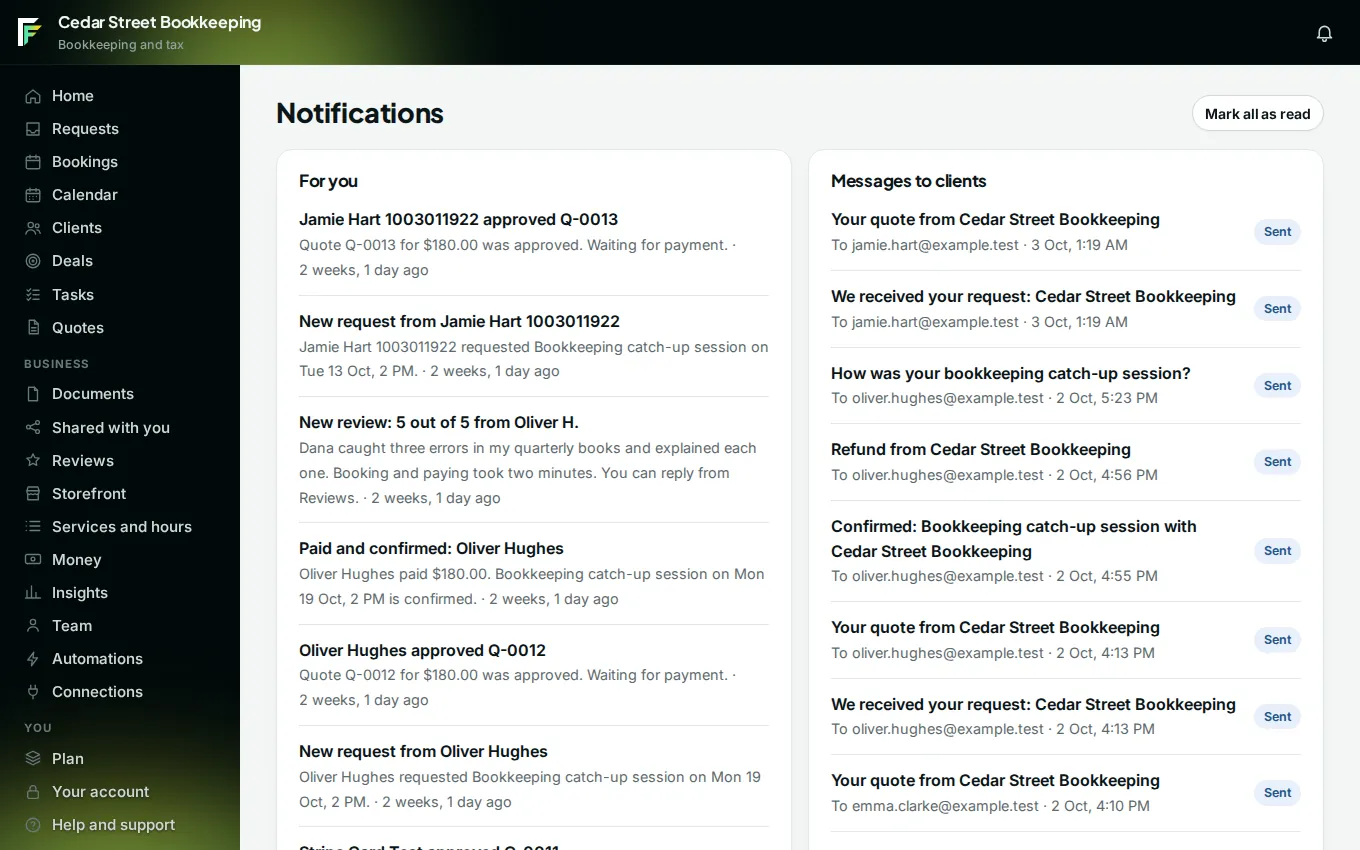
Fountain sends emails to you (sign-in codes, confirmations, plan notices) and to your customers (quotes, payments, reminders). Emails to customers are listed on Notifications with their status, so you can see whether each one went.
Availability Every plan. Owners and managers can retry a failed email to a customer.
Steps
- Check spam or junk, and other inbox tabs, for an email from Fortis Fountain or from your business. Mark it as not spam so later ones arrive.
- For an email to a customer, open Notifications and look under Messages to your customers. Each one shows who it went to and its status: Queued, Sent, Failed or Suppressed.
- If it says Failed, read the reason beside it, then choose Retry.
- Check the customer's email address on their client page. A typing mistake is the most common cause.
- For your own confirmation email, open Your account and choose Send the link again under Email address.
What it can and cannot do
- Fountain tries a failed email up to five times, waiting longer each time, before it marks it Failed.
- Fountain can show whether it sent an email. It cannot see whether the email went to spam, or why a mail provider held it.
- Retry sends the same email again to the same address. Fix the client's email first if it was wrong.
- Health and care workspaces send no email to customers.
What you should see
A retried email goes back to Queued and then Sent, usually within a few minutes. Fountain tries a failed email several times on its own, waiting longer each time, before it marks it Failed. A failed email never undoes a booking.
If it does not work
- "Customer has no email address" with Suppressed. Add an email to the client, then send again from the quote or booking.
- "Outbound email is off for this workspace (healthcare boundary)". Health and care workspaces do not send email to customers. This is by design.
- "We could not send the confirmation email. Send it again from your account page." Use Send the link again on Your account in a few minutes.
- "We could not send it just now. Try again in a few minutes." after Send the link again. Wait a few minutes and choose it again.
- Emails to customers come from your own Gmail or Outlook. When Gmail or Outlook Mail is connected, Fountain sends customer emails from it, and falls back to its own address if that fails. Check that connection on Connections. See A connection needs reconnecting.
- A customer no longer gets invitations to book again. Customers can stop those reminders from the link in the email. See Invite customers back.
- Still nothing. Write to [email protected] with the address and roughly when the email should have arrived.
Still stuck? Contact Fortis support and a person replies by email.